

PDFs are established, but in practice they are often under-digitalised. The fact is that PDF is a standard format for providing information and using forms for data capture, yet in many processes it slows down the customer journey, especially on mobile devices.
Series: From Paper to Performance
-
Part 1/5 - From Paper to Performance: Why Banks Need End-to-End Digitalisation
Cost and risk drivers of paper-based processes, plus a roadmap for end-to-end workflows. -
Part 2/5 - PDF ≠ Digital: How Banks Can Finally Use PDFs Intelligently
Why 'saving a PDF' is not a process and how PDFs can become structured, verifiable data. -
Part 3/5 - Evidential Value of Digital Documents: Legally Robust Digital Processes in Banks
Evidential value, audit trails and signatures: what really matters for audit and regulatory robustness. -
Part 4/5 - Digital Competitiveness: How Banks Can Keep Pace in the Digital Market
The capabilities banks now need and the process metrics that make the difference measurable. -
Part 5/5 - Workflow Automation: Step by Step to a Paperless Process
How workflow automation creates robust process infrastructure: faster and compliant
What to Expect in This Article:
- Digitising PDFs Is Easy, Processing Data Intelligently Is the Real Task
- Why Semi-Digital PDF Processes Slow Down Efficiency
- Intelligent PDFs: The Underestimated Automation Factor
- How AI-Assisted Automation Accelerates Your Document Processes
- Data Quality as a Lever for Automation
- From Documents to Data: The Next Step in Automation
- Smart PDF Management in Banks: Competitive Advantages Through Automation
- AI-Assisted Automation in PDF Workflows
- Implementing Intelligent PDF Workflows in Banks
- Use Case: Automation in Practice
- Conclusion and Outlook
- Frequently Asked Questions (FAQ)
Digitising PDFs Is Easy, Processing Data Intelligently Is the Real Task
In many banks, PDF forms are available digitally for download, but often still need to be printed for signatures and then scanned back in. It is a seemingly digital process that in reality takes analogue detours. The real value of these documents, the customer inputs, only flows into core banking and CRM systems with considerable effort and cost.
True Automation Begins Where Data Is Structured, Validated and Seamlessly Integrated into the Workflow:
- Form fields are validated automatically (e.g. IBAN, postcode, date of birth)
- Documents are signed directly (SES/AES/QES)
- Metadata controls filing in the DMS
This Creates an End-to-End Process Flow Without Manual Intermediate Steps.
Anti-Pattern: Semi-Digital PDF Processes
Problem: PDF forms are sent digitally but reviewed and processed manually.
Cause: Missing data validation, no workflow logic and no integration with core banking or CRM systems.
Consequence: High error rates, long processing times, rising OPEX (operational expenditure) and limited STP rates (Straight-Through Processing) despite a 'digital' front end.
Why Semi-Digital PDF Processes Slow Down Efficiency
Your process may even start with a PDF form that can be completed on screen: the customer can fill it in digitally, save it locally and return it by email, but in practice often still has to print it for signature.
And on Your Side: Such a manually processed PDF remains a static document. Automated data exchange with core banking or CRM systems, matching customer or contract data, and validation without rework are possible in principle, but they are not seamless and are often error-prone.
In Practice, the Goal Is: digital Straight-Through Processing (STP) instead of follow-up queries, typing errors and inefficiency.
| Process / Activity | Manual Document and PDF Return | Digital Workflow / STP Process | Direct Effects |
|---|---|---|---|
| Customer Data Capture / Backend Input | Mostly manual entry or OCR, depending on scan quality | Automatic capture from validated PDF | Fewer errors, faster data flow |
| Validation | Rework required, high error rate | Real-time checks in the form / workflow | Higher data quality, fewer follow-up queries |
| Routing | Email, post or scan: manual input | Workflow-driven, automatic | Efficiency, fewer media breaks |
| Archiving | Manual / scan: DMS | Automatic audit-ready filing | Compliance and audit trail ensured |
| Cost Effort | High postage, printing and staffing costs | Low, automated | OPEX savings, visible ROI |
The table shows why purely semi-digital processes block automation and where genuine digital workflows deliver their strengths.
Further Reading (Practice): PDF ≠ Digital: How Banks Turn PDFs into Structured, Verifiable DataWhen Intelligent PDF Workflows Are Suitable
Suitable for: Standardised, high-volume banking processes with clear data fields and definable validation rules (e.g. account/securities account opening, address changes, KYC documents, service requests).
Not suitable for: One-off special cases, unstructured free-text processes or processes without a clear target workflow and system integration.
From Manual PDF Handling to an End-to-End Workflow with Paperfly
Semi-digital PDF journeys in banks primarily create rework, follow-up queries and manual checks. Paperfly addresses precisely this bottleneck: existing PDFs are not replaced, but enhanced with validation logic, signatures and workflow automation.
In Practice, This Means:
- Validated PDF inputs instead of manual data capture
- Automatic follow-up requests for incomplete information
- SES/AES/QES directly within the process, without media breaks
- Workflow-driven transfer to core banking, CRM and DMS systems
- Complete audit trail for internal audit and supervisory review
Micro ROI (Practical Values): -25-35% OPEX per case, -40-60% rework, +30-45% STP rate (retail processes)
Intelligent PDFs: The Underestimated Automation Factor
Intelligent PDFs with embedded form logic, validations and digital signatures bridge the gap between familiar processes and modern process automation. Banks benefit when they enhance existing PDF forms rather than replace them:
- Inputs Are Checked Automatically (required fields, format checks, value ranges)
- Data Is Transferred Directly to Backend Systems
- The Workflow Is Triggered Automatically: (z. B. Antrag → Prüfung → Signatur → Archivierung)
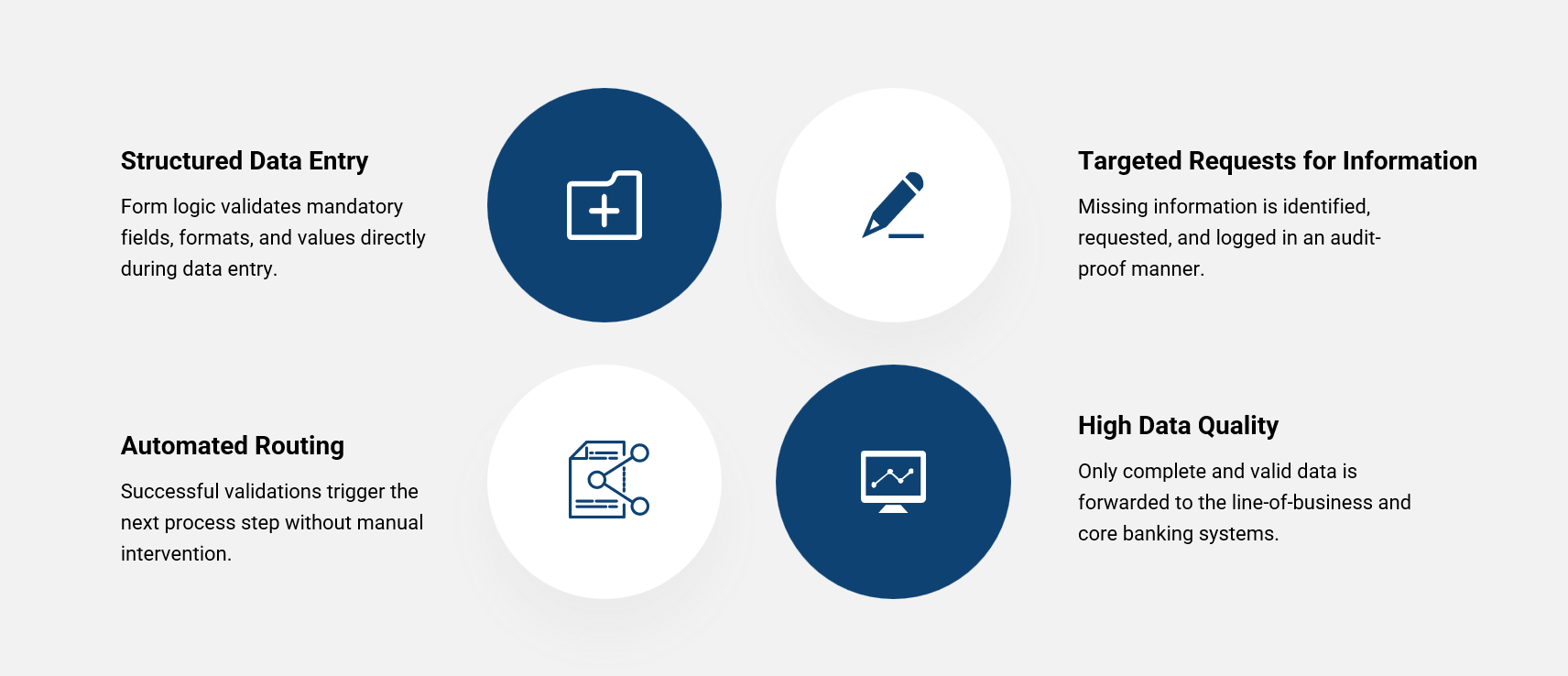
Data Quality as an Automation Lever
If required fields are missing, formats are invalid or documents are submitted incompletely, the workflow automatically triggers a structured follow-up request (via link, PDF or web form), blocks further processing and records the case in the audit trail.
How AI-Assisted Automation Accelerates Your Document Processes by 60-70%
The following overview shows how a digital workflow with automated processing, validation and an audit trail changes the key KPIs and what direct benefits this brings for the bank and the customer:
| KPI / Metric | Manual Document Process / Paper-PDF Workflow | Automated Banking Workflow / STP Process | Direct Benefit |
|---|---|---|---|
| Processing Time per Application | 7-14 days | 1-2 days | Faster value realisation; time to revenue -30%, better NPS. |
| Document Review Effort | high, manual | automated / digital audit trail | Reduction in costs and resource requirements |
| Rework / Follow-Up Queries from Specialist Departments | 20–30 % | < 5% | Less rework reduces OPEX per case by 25-35%. |
| Processing Costs / OPEX per Case | high | significantly lower | Direct CIR lever: fixed paper and scanning cost blocks are eliminated. |
| Media Breaks | frequent | none | Increased process stability |
Specific KPI Effects in Banks
- Processing time per application: -60-70% (e.g. from 7-14 days to 1-2 days).
- Errors/rework: -40-60%; target state in operations often < 5% follow-up queries.
- Time to revenue: -30% (faster activation/revenue).
- OPEX pro Antrag: -25–35 % (Fallkosten); analoge Nebenkosten (Druck/Porto/Scan/Lager) -70–85 %.
- Audit/review effort: -60% thanks to a complete audit trail.
- STP rate (retail account opening): from 0-5% to 35-45%.
Measurement Framework: Period: 6-12 months · Population: [process/segment] · Method: before/after (matching) · Data sources: workflow logs, DMS, audit trail · Reporting: monthly (median + IQR).
Data Quality as a Lever for Automation
A digital workflow is only as good as the data that drives it. PDFs often contain all the relevant information, yet in many processes this data is still transferred, checked and corrected manually.
Intelligent workflows ensure that data flows directly from PDFs into the right systems, accurately and completely. This creates:
- Faster Decisions: loan or account-opening applications can be processed immediately
- Reduced Operational Risks: less rework, lower error rates and transparent audit trails
- Reliable Data Foundation: no typing errors and no missing information
Banks that use this lever transform PDFs from static documents into high-quality data sources that directly support decision-making and automation.
From Documents to Data: The Next Step in Automation
The future belongs not to documents, but to data. PDFs are well established in banks and provide a legally robust foundation: they can be electronically signed (SES/AES/QES), archived in an audit-ready manner and integrated into regulatory-compliant processes.
Banks That Transfer Data from PDFs Directly into Systems Unlock:
- Direct Evaluation of Data
- Process Triggers for Automated Decisions
- AI-Assisted Validations and Workflows
Smart PDF Management in Banks: Competitive Advantages Through Automation
PDFs remain a central part of banking processes, but only intelligent use turns them into a competitive advantage. Digital workflows enable:
- Real-Time Access to Documents and Data for specialist departments
- Automated Workflows, which minimise follow-up queries and halve processing times
- Integration into Customer Journeys, e.g. for onboarding, loan approvals or contract completion
This delivers a double benefit: you increase efficiency and reduce costs at the same time, while ensuring compliance and data quality.
AI-Assisted Automation in PDF Workflows
Artificial intelligence (AI) significantly expands the capabilities of traditional PDF workflows. It automatically identifies relevant data fields, checks their plausibility and triggers specific workflow steps based on the content, without manual intervention. This makes PDFs not just digital, but intelligent.
Practical Benefits at a Glance:
| AI Function | Description | Direct Benefit / KPI |
|---|---|---|
| Data Field Recognition | AI automatically identifies customer or contract information in PDFs | Reduces manual capture and typing errors |
| Plausibility Check | Checks data for completeness, formats and value ranges | Error rates decrease and follow-up queries are minimised |
| Workflow Trigger | Automatically starts approval, signature or archiving processes | Shorter processing times, faster decisions |
| Categorisation & Routing | Assigns documents correctly to departments or target systems | Avoid media breaks and increase efficiency |
| Predictive Analytics | Identifies anomalies and optimisation potential within the process | Reduced risk, better resource planning |
Banks benefit from faster processes, significantly reduced error rates and high data quality, while compliance requirements continue to be met through automated checks at all times.
How AI Directly Improves KPIs
Measurement Framework: Period: 9-month pilot → rollout · Population: live cases in the target process · Method: before/after, controlled for volume/peak periods · Data sources: process logs, signature/audit trails, cost centres · Reporting: monthly (median, P90)
Implementing Intelligent PDF Workflows in Banks
Introducing intelligent PDF workflows is not only a technical task, but also requires a targeted organisational approach. Successful financial institutions plan implementation step by step, involve the right teams and secure adoption through clear communication.
Step-by-Step Implementation:
- Pilot Phase: Auswahl eines Geschäftsbereichs oder Prozesses, Test des PDF-Workflows, Feedback sammeln.
- Rollout: Expand to additional departments and adapt workflows based on lessons learned.
- Optimisation: Continuously monitor KPIs, identify bottlenecks and fine-tune processes.
Stakeholders Involved:
- Back Office / Specialist Departments: Provide process expertise and feedback on workflow efficiency
- Compliance & Risk Management: Bestätigung der Einhaltung regulatorischer Anforderungen
- IT / DMS Teams: Governance & Schnittstellen-Freigabe (Lightweight), Betrieb & Security by Design
Automation in Practice: PDF Use Case for Address Changes
Address changes are often submitted via PDF form or free-text email. Assignment is handled manually, with processing times of 2-3 days. Incorrect customer assignments or missing evidence are common.
Target State
- The customer starts the process via online banking.
- The stored PDF form is populated dynamically (name, IBAN, customer number).
- Validations check required fields and formats (postcode, house number, town/city).
- The customer confirms using an SES or AES signature.
- The workflow automatically transfers the data to the CRM and address register; the PDF is signed and archived in an audit-ready manner.
- Every action (opening, signature, routing, archiving) is stored as an event in the audit trail.
Result:
- Processing Time: -70% (from an average of 3 days to minutes)
- Error Rate: -55%
- Follow-Up Queries: < 5%
- Cost per Case: -25–35 %
- Customer Satisfaction (NPS): +18 points
Measurement Framework: 9-month pilot, 15,000 cases; KPI tracking via workflow logs and audit events.
Compliance: SES/AES = sufficient where no statutory written-form requirement applies; process fully GDPR-compliant (Articles 5, 24, 30); for the German banking governance context, internal control system (ICS/IKS) requirements are supported through approval and logging rules.
For Management, This Means: efficiency and compliance objectives can be achieved simultaneously for the first time, rather than trading off speed against security.
Every accelerated approval and every automated data transfer has a direct impact on the Cost-Income Ratio (CIR) and time to revenue.
Conclusion: From PDF to Performance. Banks Turn Documents into Real Efficiency
The move to a complete, value-creating digital workflow is no longer a future project. It determines speed, quality and customer experience.
This Turns 'PDF ≠ Digital' into a Truly Digital PDF and a Genuine Strategic Advantage: banks can make their processes faster, more transparent and more intelligent, making digital transformation measurable.
Next Step: Start a Pilot for Intelligent PDF Workflows
Start with a clearly defined pilot process (e.g. address change, account/securities account opening or service request) and measure the impact based on facts.
Recommended Measurement Framework:
- Period: 3-6 months
- Population: live cases in the target process
- KPIs: processing time, follow-up query rate, STP rate, OPEX/case, audit effort
- Method: before/after comparison (matching)
- Data sources: workflow logs, DMS, audit trail, cost centres
Result: a robust basis for scaling decisions instead of gut feeling.
Frequently Asked Questions (FAQ)
Why Are PDFs in Banks Often 'Semi-Digital' Rather Than Automated?
PDFs may be considered digital, but in banks they are often used merely as files rather than as structured data sources. Without validations, process logic and system integration, many PDF journeys remain manual: data has to be transferred, checked and requested again. Only intelligent PDFs enable genuine Straight-Through Processing.
Aren't PDFs Already Digital?
PDFs are digital files, but without structured data and process integration they cannot be processed automatically. Genuine automation benefits only emerge through intelligent PDFs, data validation and integration into digital workflows.
What Happens to Existing Forms?
Existing PDF forms can continue to be used. With intelligent form logic, validation and digital signatures, they become automatable, audit-ready and seamlessly integrated into digital workflows and core banking systems. Paperfly can convert existing PDF forms into mobile Quick Forms, automatically detecting existing input fields, which can then be adjusted as needed.
How Quickly Does Automating PDF Processes Pay Off for Banks?
Banks often see measurable efficiency gains within just a few months: processing times are significantly reduced, follow-up queries and manual rework decrease, and operating costs per application fall noticeably.
What Role Does Compliance Play in PDF Automation?
Compliance-ready workflows not only safeguard data quality, but also ensure auditability. Digital signatures (SES/AES/QES), timestamps and structured data help ensure that regulatory requirements can be met at all times.
Is Integration with Existing Core Banking, DMS or CRM Systems Possible?
Yes. Intelligent PDFs can be integrated directly into core banking, CRM and DMS systems. This creates end-to-end automated processes without media breaks, from data capture and review through workflow execution to audit-ready archiving.
How Do Intelligent PDFs Improve Efficiency?
Intelligent PDFs check inputs in real time, validate required fields and automatically pass structured data to downstream systems. This eliminates manual data capture, follow-up queries and rework. Banks significantly shorten processing times, reduce error rates and measurably lower operating costs across the entire process.
Can Automated PDF Workflows Also Use AI?
Yes. AI identifies and classifies data in PDFs, checks plausibility and controls workflows using rules or learning-based logic. This allows processes to be prioritised automatically, exceptions to be identified early and Straight-Through Processing to be enabled. Banks gain faster decision-making, more stable processes and continuous process optimisation.
Back to the Series: From Paper to Performance: End-to-End Digitalisation in Banks (Overview & Introduction)Mini Glossary: Key Terms in PDF Automation for Banks
STP (Straight-Through Processing) = End-to-end automation of a process without manual intervention; the goal is short processing times, low error rates and low OPEX while maintaining compliance.
Audit Trail = Complete, audit-ready logging of all actions throughout the document and workflow lifecycle (who, what, when, with what and why); essential for internal audit, supervision and traceability.
Data Validation = Automatic checking of inputs for completeness, format and plausibility (e.g. IBAN, postcode); prevents errors early and enables stable, automated downstream processes.
SES / AES / QES = eIDAS signature levels: simple (SES), advanced (AES) and qualified electronic signature (QES). Under the EU-wide eIDAS framework, a QES has the equivalent legal effect of a handwritten signature. Under German law, a QES can be used to satisfy electronic-form requirements where the applicable statutory conditions are met; Section 371a of the German Code of Civil Procedure (ZPO) concerns the evidential value of electronic documents in German civil proceedings.
DMS (Document Management System) = Central system for audit-ready filing, versioning and retrieval of documents; in automated workflows, the DMS is controlled based on rules and without manual rework.